Getting started.
Everything you need to set up DeskFi and get the most out of every page. Both broker connections are read-only by design: DeskFi can see your portfolio, never touch it.
On this page
- 1. Create your account
- 2. Set up your profile
- 3. Connect Trading 212
- 4. Connect Interactive Brokers
- 5. Dashboard
- 6. Holdings
- 7. Dividends
- 8. Desk Notes
- 9. Weekly Allocation
- 10. AI Research Desk
- 11. News
- 12. Watchlist
- 13. Earnings Sentiment
- 14. Rebalance
- 15. Session
- 16. Trade Journal
- 17. Suggestion History
- 18. WhatsApp AI Advisor
Create your account
Head to the sign up page and enter your name, email address, and a password.
After signing up, you will be taken straight to the onboarding questionnaire to set up your investor profile.
Set up your profile
After signing up, you will go through a short onboarding questionnaire. This takes about 2 minutes and helps the AI understand your investing style so it can give you personalised recommendations.
You will be asked about:
- Goals and risk - your primary investment goal, target portfolio value, risk tolerance, and what you do when stocks drop
- Budget - how much you invest per week or per payday
- Investing style - whether you prefer growth, dividends, or a mix; thematic vs. diversified; early-stage vs. confirmed trends
- Your themes - the sectors and macro trends you are interested in (e.g. AI, nuclear, critical materials)
- Experience - how long you have been investing, your biggest wins and losses
- AI preferences - how you want the AI to talk to you (aggressive, balanced, conservative) and how much detail you want
You can change any of these later in Settings.
Connect Trading 212
DeskFi connects to your Trading 212 account to automatically pull your holdings, prices, and dividends. You need to generate an API key from the Trading 212 app.
Important: read-only key only
When generating your API key, Trading 212 will ask you to choose permissions. Only select the read-only / informational scope. Do NOT enable the option that gives authority to place or execute trades. That permission allows external apps to buy and sell on your behalf, which is dangerous and completely unnecessary. DeskFi only reads your positions and transaction history. It will never place trades.
How to get your API key:
- Open the Trading 212 app on your phone or desktop
- Go to Settings (gear icon, bottom right)
- Scroll down and tap API (Beta)
- Tap Generate new API key
- When asked about permissions, only tick the read-only / informational boxes. Leave everything related to order execution or trading unchecked.
- Copy the API key that is generated
Your key is encrypted
Your API key is encrypted with AES-256-GCM before being stored. It is never exposed in the browser or logs. You can remove it at any time from Settings.
Once you have the key, go to Settings in DeskFi, paste your API key into the Trading 212 section, and click Save. Then hit Sync from T212 to pull in your portfolio. This usually takes a few seconds.
Connect Interactive Brokers
DeskFi connects to your Interactive Brokers account via the Flex Web Service to pull your positions and account data. This is read-only and DeskFi cannot place trades on your account.
Setup steps:
- Log into the IBKR Client Portal at interactivebrokers.com
- Open Performance & Reports › Flex Queries (or use the Menu in the top left, then Reporting › Flex Queries)
- If a Select Account(s) panel appears, choose the account you want and click Continue. If you have more than one IBKR account (for example an ISA and an Individual), pick the single one you want DeskFi to track, otherwise your cash and total value can read wrong
- Next to Activity Flex Query, click the + to create a new one
- Turn on these four sections: Account Information, Open Positions (Lot level), Cash Transactions (for dividends), and Net Asset Value (NAV) in Base (for cash and total value). For exactly which boxes to tick in each one, see "What to switch on in each section" just below.
- Set Date Period to Last 365 Calendar Days — use a rolling period, not a fixed date range
- Set Format to XML, then save and note the Query ID
- On that same Flex Queries page, open Flex Web Service Configuration, toggle it on, and click Generate New Token (choose a long expiry, e.g. 1 year, so sync keeps working)
- In DeskFi Settings, paste the Token and Query ID into the Interactive Brokers section and click Save Keys
- Click Sync from IBKR to pull in your positions
What to switch on in each section
When you build the query, IBKR asks you to turn on a few sections and tick some boxes. Here is exactly what to do, in plain words. Whenever a section lets you pick fields, the easy and safe choice is to click Select All. There is one exception, Account Information, noted below.
Open Positions (your stocks)
Important: choose Lot, not Summary. If you choose Summary, none of your stocks will show up.
Then click Select All for the boxes. Nothing here is private, so ticking everything is safe.
Cash Transactions (your dividends)
At the top, tick Dividends and Payment in Lieu of Dividends. You can leave the rest off.
Important: choose Detail, not Summary. If you tick both, your dividends can be counted twice.
For the boxes, Select All is fine.
Net Asset Value (NAV) in Base (your cash and total value)
Make sure Cash and Total are ticked. Select All is fine. This is the only place DeskFi learns your real cash balance, so do not skip it.
Account Information (your account number)
Do not Select All here. This section holds personal details (date of birth, email, home address) that DeskFi does not need.
Tick only two boxes: Account ID and Currency.
Seeing "Statement could not be generated" (error 1001)?
This is an IBKR-side message, not a problem with your token. It almost always means the query's date range is fixed or stale. Edit your Flex Query, set the period to Last 365 Calendar Days, and save. If it persists, delete the query and create a fresh one (you'll get a new Query ID to paste into Settings). IBKR can take a moment to generate the first statement, so give Sync a few seconds.
Position data updates when you sync. IBKR Flex data is based on the previous trading day's close, which is ideal for portfolio analysis and weekly research briefs.
Dashboard
Your command centre. The dashboard shows your total portfolio value, total return, your top gainers and losers, progress towards your target, and a sector allocation breakdown.
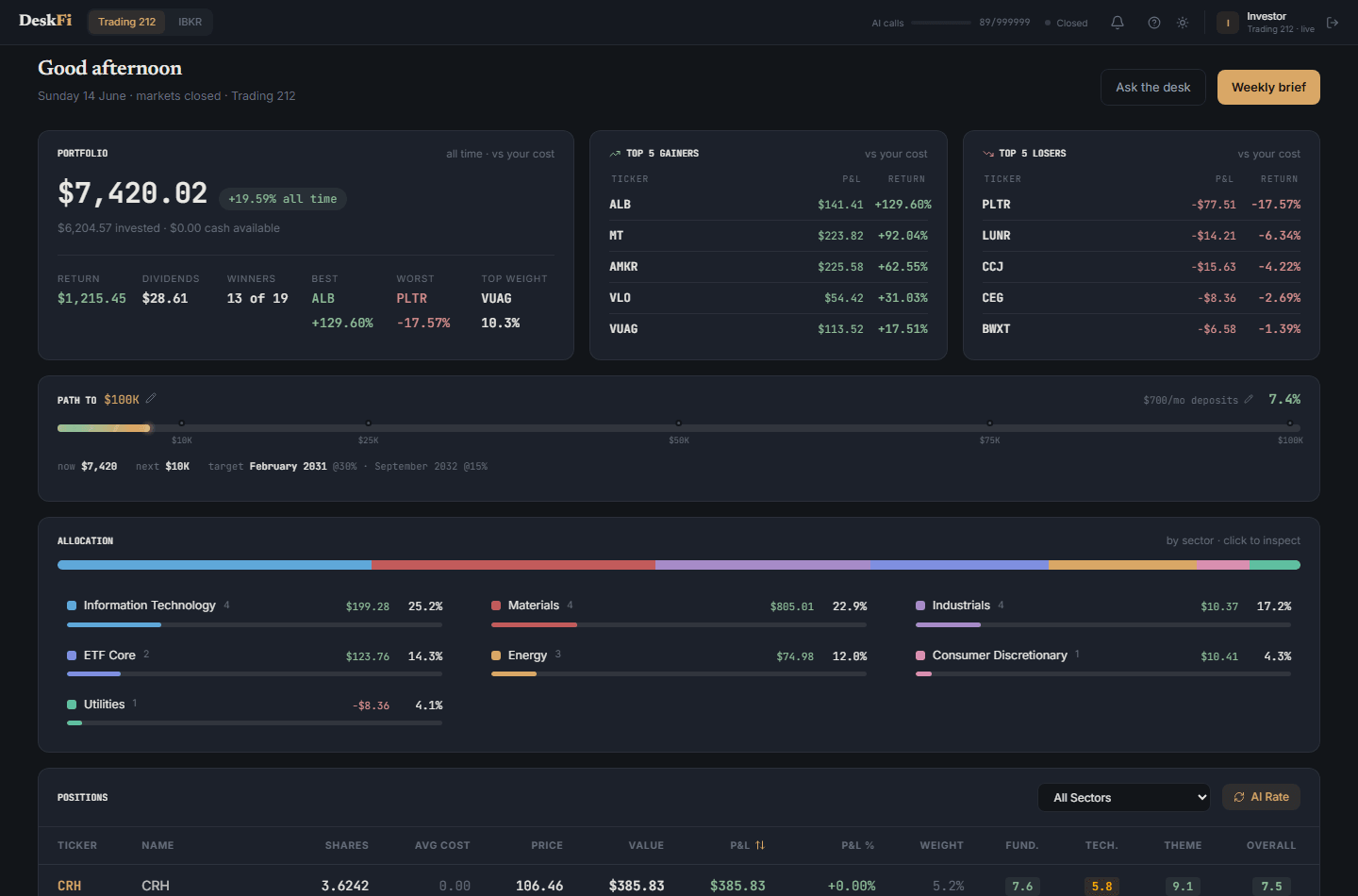
Portfolio data updates automatically when you sync from your broker. The Allocation panel shows how your money is spread across sectors, each with its own colour. Click any sector to inspect the holdings inside it.
Holdings
A detailed view of every position in your portfolio. See your shares, average cost, current price, P&L percentage, and AI ratings for each stock across three dimensions: fundamentals, technicals, and theme fit.
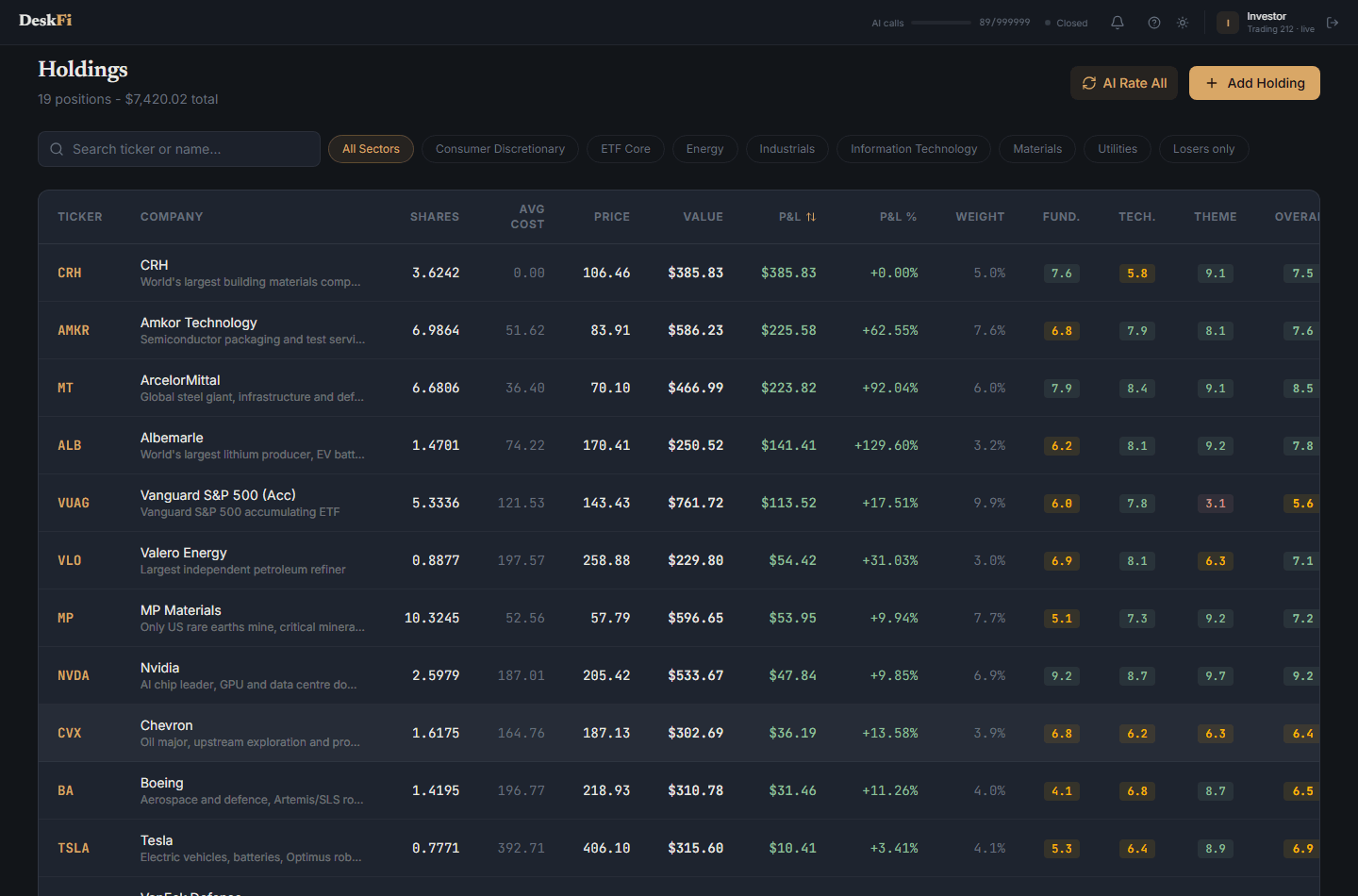
Click any holding to open its detail page, with a price chart, key stats, analyst consensus, and the AI's desk note on the position. You can also search and filter the list by sector.
Dividends
Track the income your portfolio pays you. The Dividends page shows your total dividend income, your monthly average, upcoming payments, and your highest-yielding positions, with a chart of income over time.
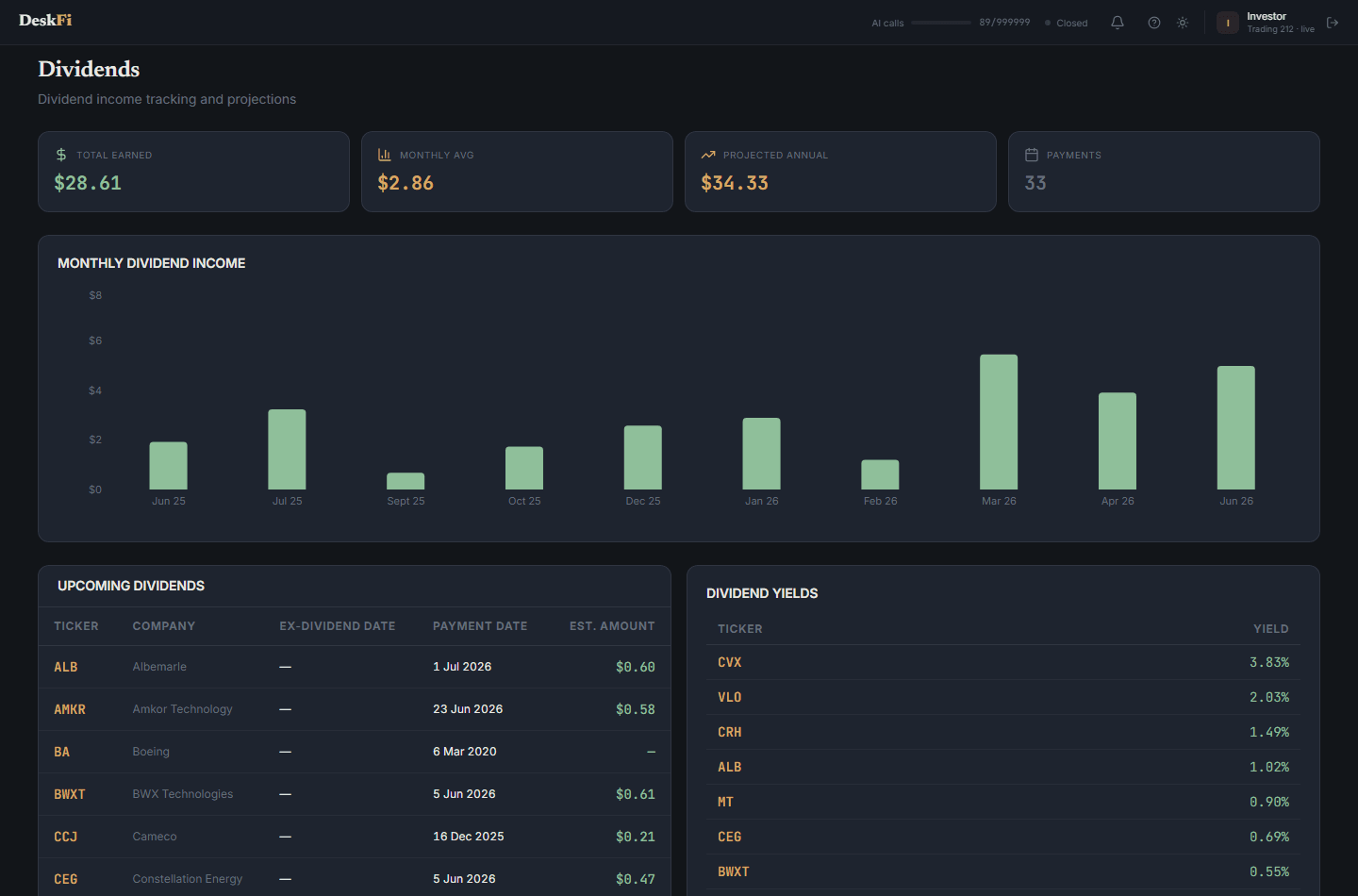
Dividend history is pulled automatically when you sync from your broker, so the numbers stay current without any manual entry.
Desk Notes
Keep a short conviction note on every position - why you hold it, and what would change your mind. Each holding gets its own card; click Edit to write or update your note. It is the margin note a real analyst keeps on every name they cover.
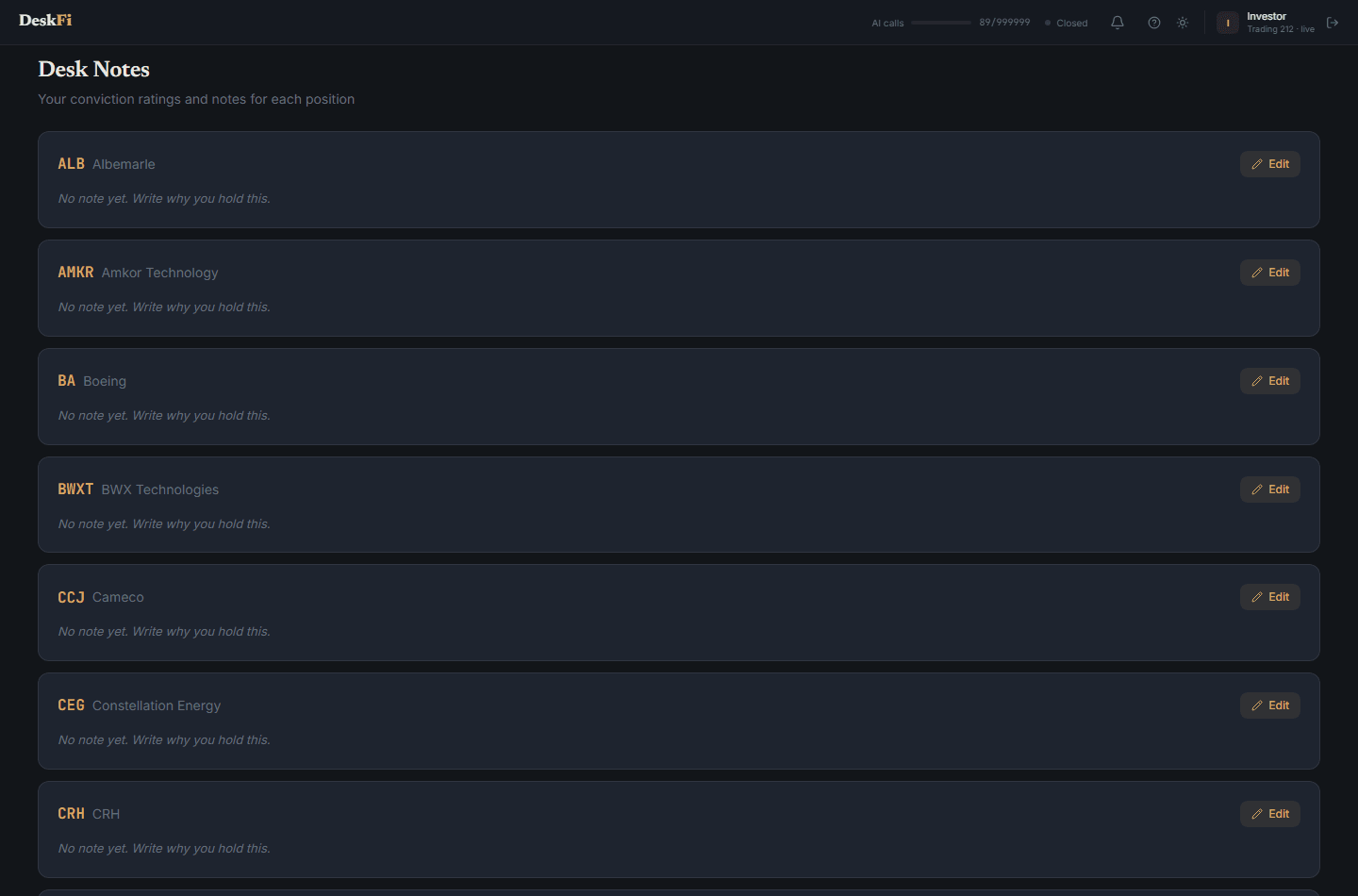
Notes live next to each position so you remember the thesis you bought on, and can review it later with a clear head.
Weekly Allocation
Every week, the AI generates a personalised investment briefing based on your portfolio, your goals, and current market conditions. It scores each of your sectors, tells you where to allocate your weekly budget, and flags specific buys with conviction and reasoning.
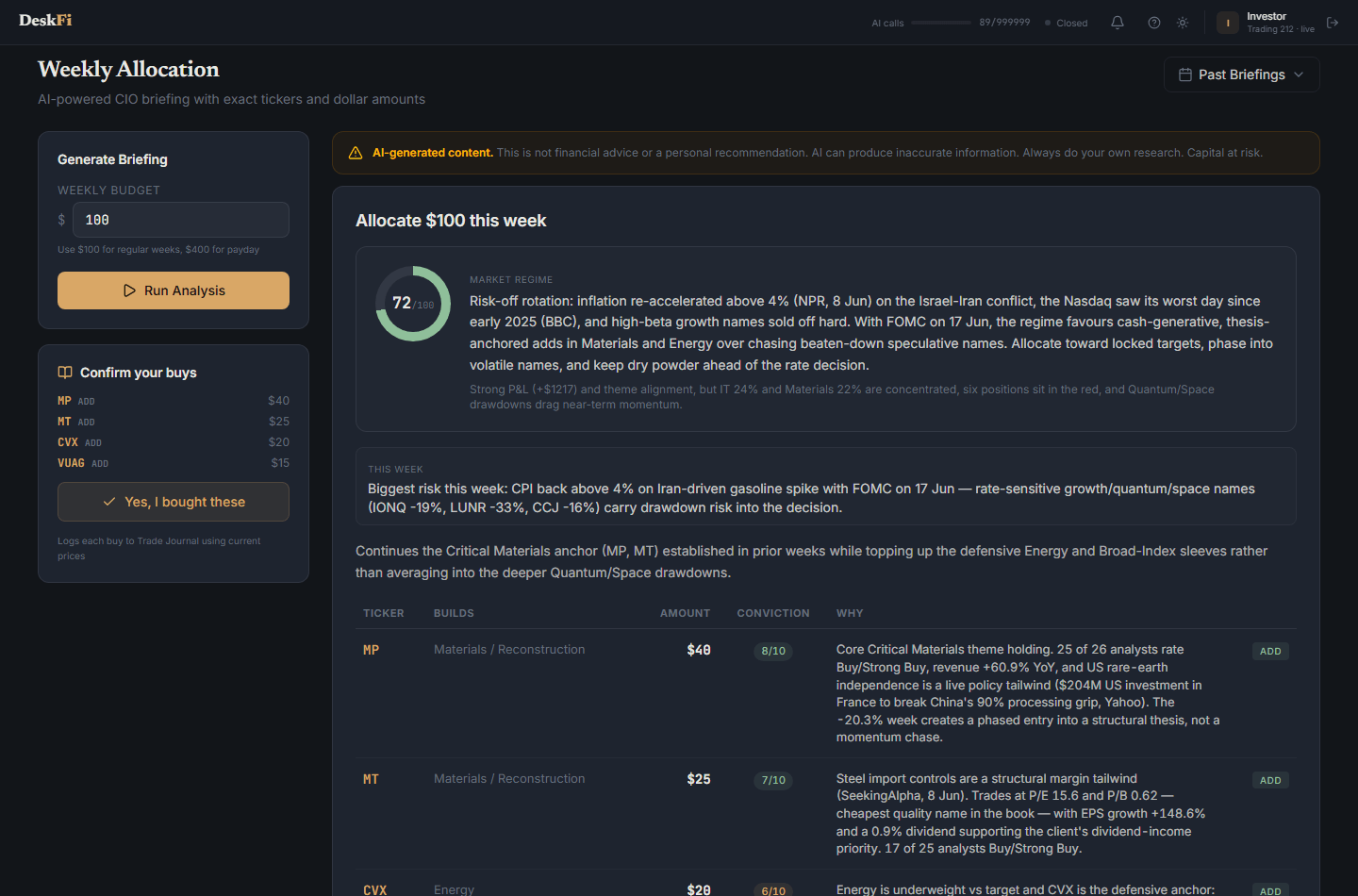
The briefing includes a market assessment, a per-sector health check, and a list of suggested buys with specific amounts. When you act on them, you can confirm your buys in one click to log them to your journal. Past briefings are saved in the History dropdown so you can track how the advice evolves over time.
AI Research Desk
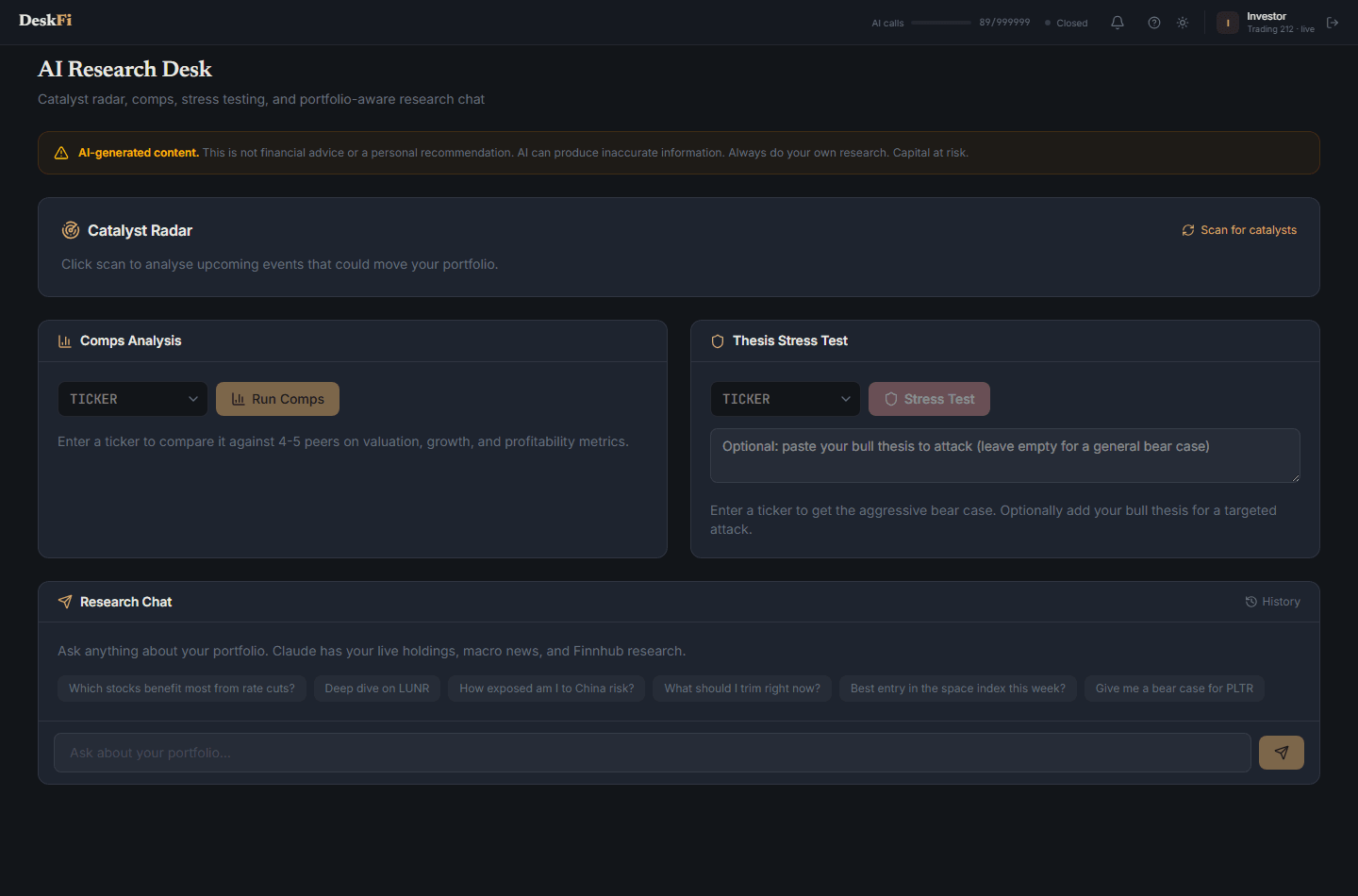
Your AI research assistant with four tools built in:
- Catalyst Radar - scans for upcoming events that could move your portfolio (earnings, product launches, regulatory decisions)
- Comps Analysis - pick a ticker and compare it against 4-5 peers on valuation, growth, and profitability
- Thesis Stress Test - paste your bull thesis and let the AI attack it with a bear case to find blind spots
- Research Chat - ask anything about your portfolio. The AI has access to your live holdings, macro news, and Finnhub financial data, and shows its tool steps and citations
News
Two feeds in one place. The macro feed groups market-moving stories into colour-coded themes - geopolitics, energy, rates, AI, critical materials, and more - so you can scan what is driving markets this week.
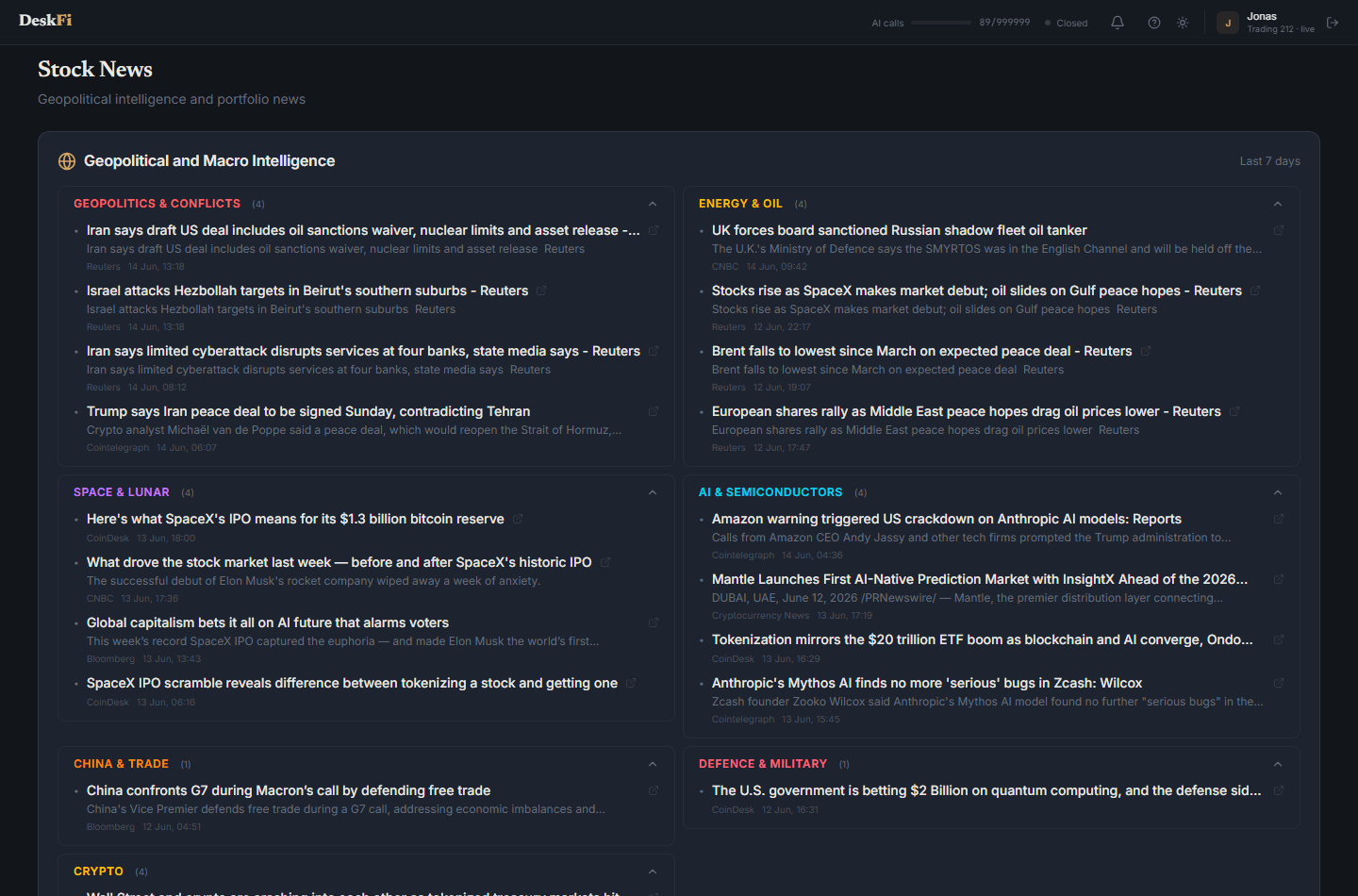
Below the macro themes, a stock feed shows the latest headlines for your own holdings. Filter by ticker or by sector to focus on the names you care about.
Watchlist
Describe any investment theme (quantum computing, nuclear energy, water scarcity, AI infrastructure) and the AI will research and suggest 5-8 publicly traded stocks that capture that theme. Each suggestion comes with a conviction rating, investment thesis, and upcoming catalyst.
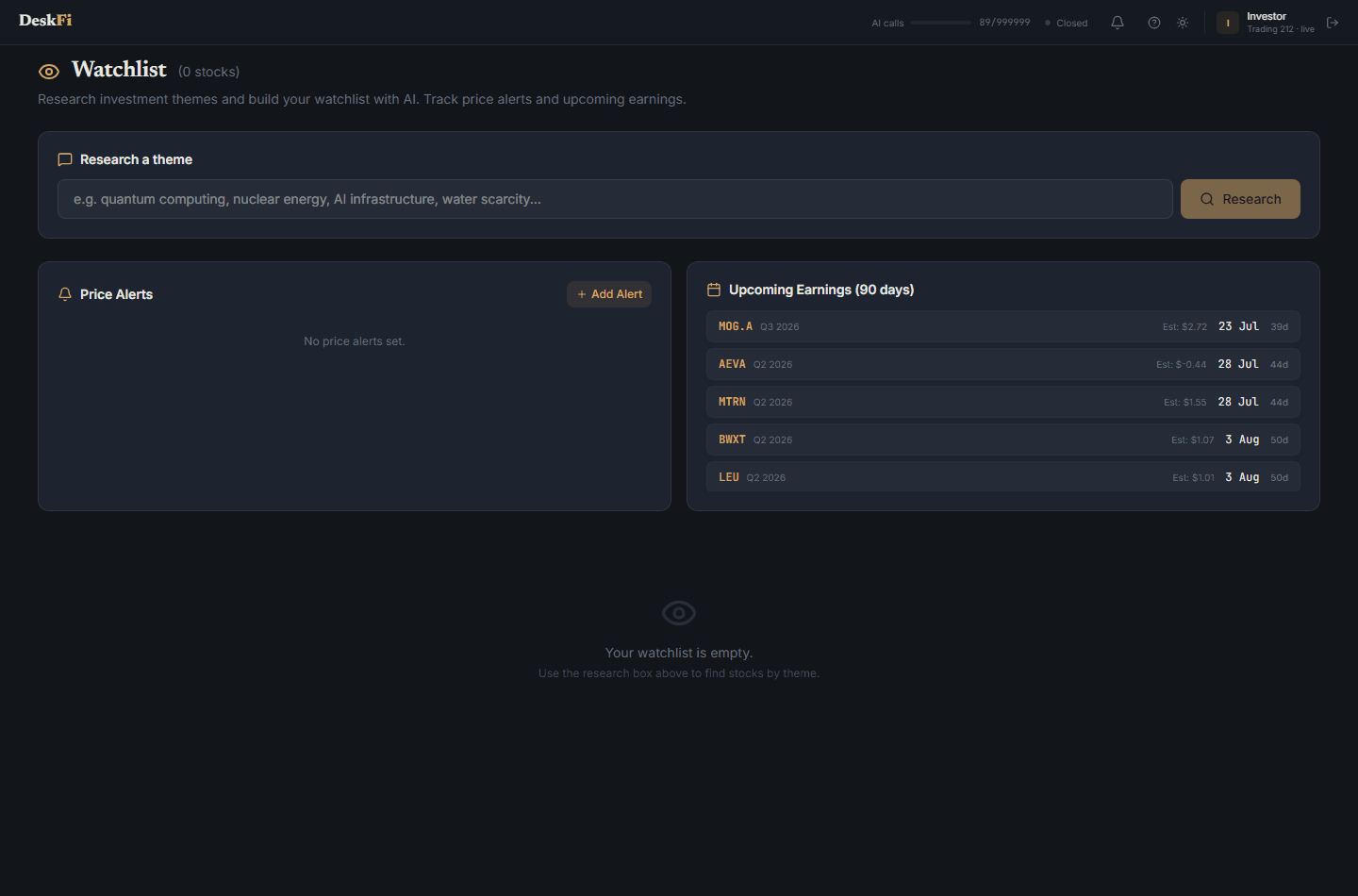
Select the stocks you want to track, add them to your watchlist, and monitor price alerts and upcoming earnings dates all in one place. Filter by conviction level or theme to stay focused.
Earnings Sentiment Tracker
Paste two consecutive quarters of earnings call transcripts and the AI will analyse the shift in management tone. It scores five dimensions: conviction, guidance language, Q&A responsiveness, risk language, and demand tone.
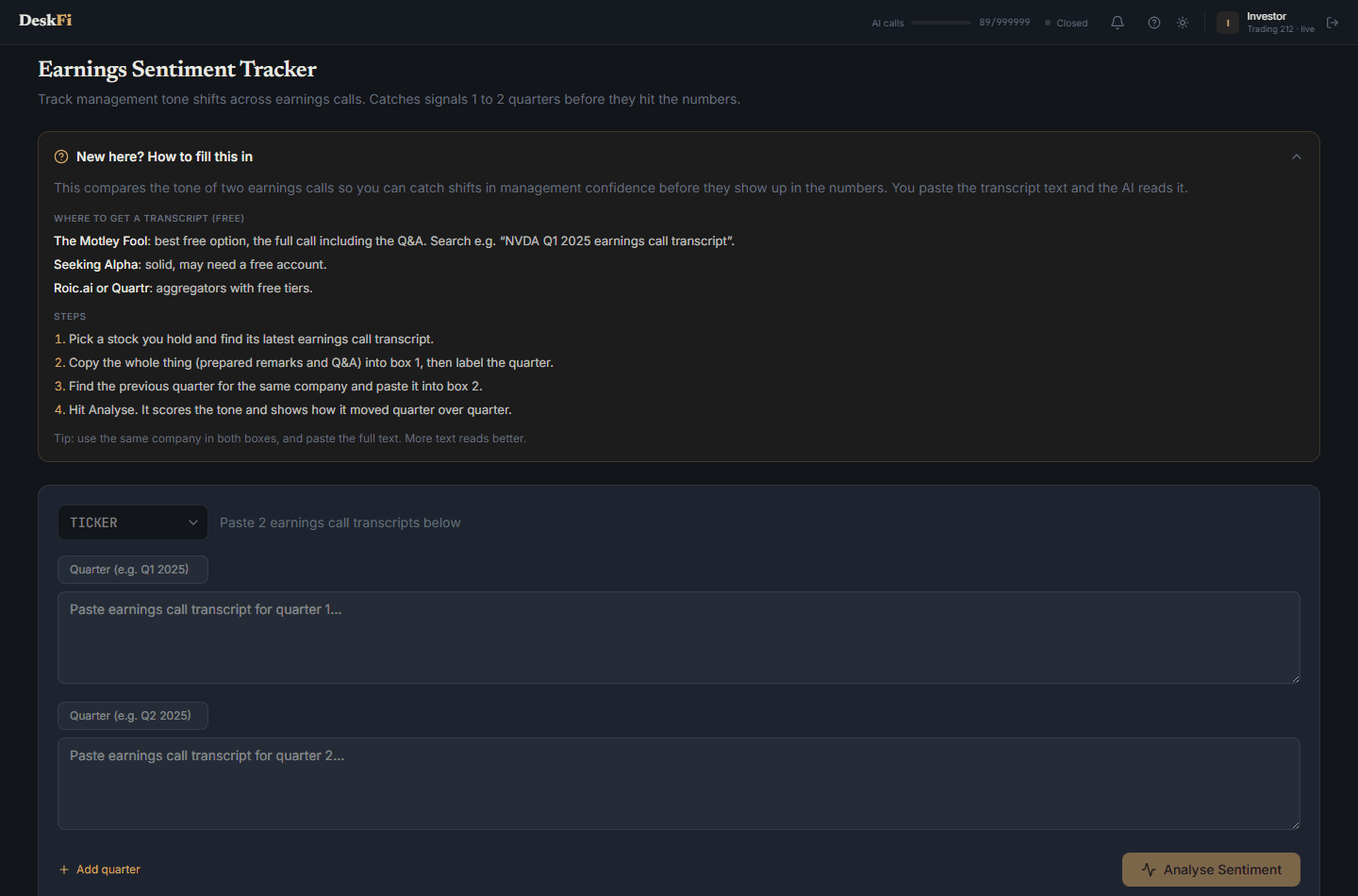
This helps you catch signals 1-2 quarters before they show up in the numbers. A CEO who suddenly gets evasive in Q&A or softens their guidance language is often a leading indicator. Past analyses are saved so you can revisit them anytime.
Rebalance
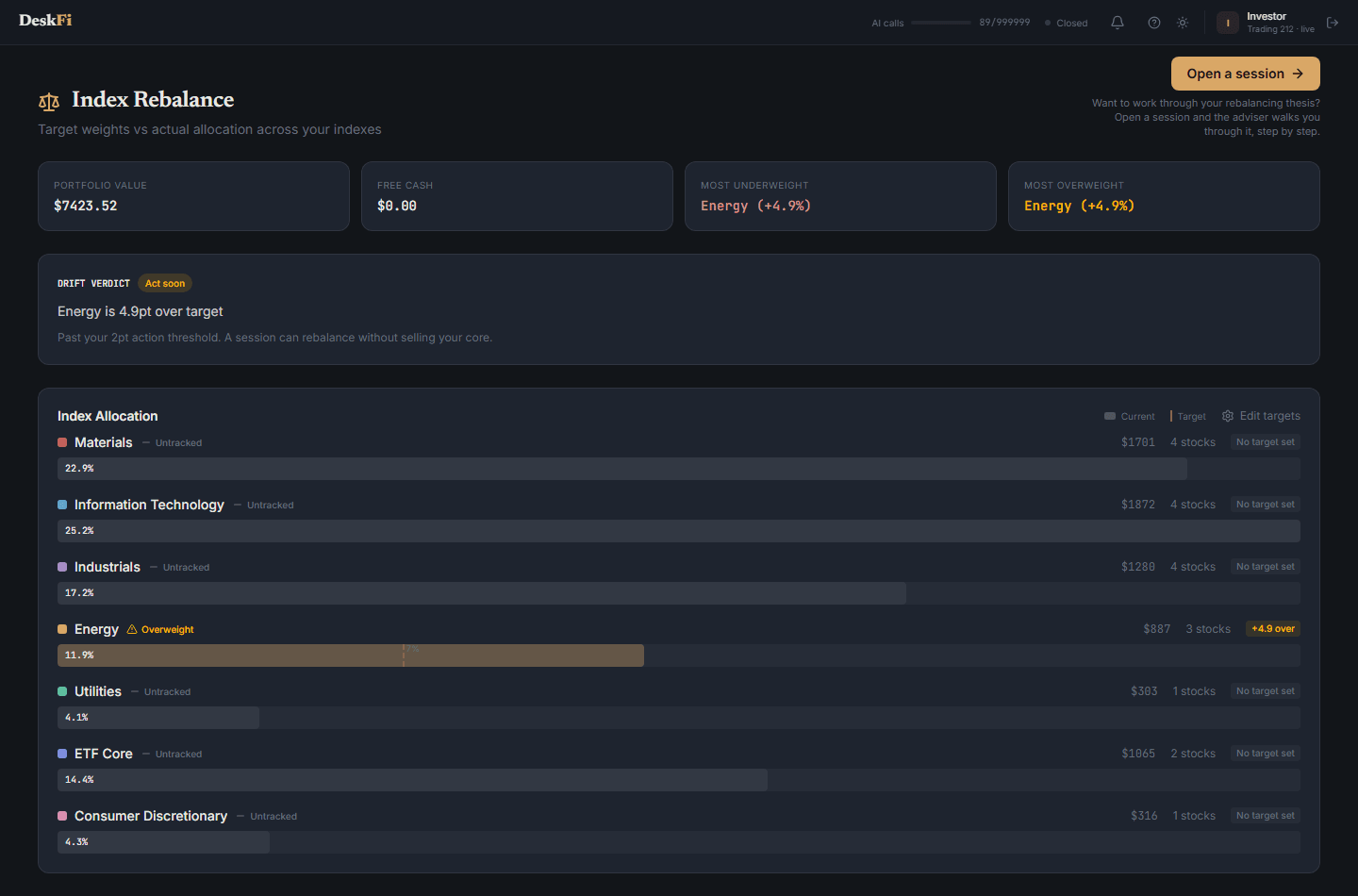
See how your actual allocation compares to your target weights, sector by sector, using the same sectors and colours as your dashboard. The page flags which sectors are overweight, underweight, or untracked (held but with no target set yet), and gives you a drift verdict so you know whether to act.
From here you can edit your sector targets, run an Auto Rebalance to get AI-suggested trims and adds, or open a guided Session to work through your rebalancing thesis step by step.
Session
A guided rebalancing conversation. Open a session and the AI adviser walks you through your portfolio step by step, using your live holdings, your targets, and a disciplined rule set. Use the starter prompts or just ask in your own words.
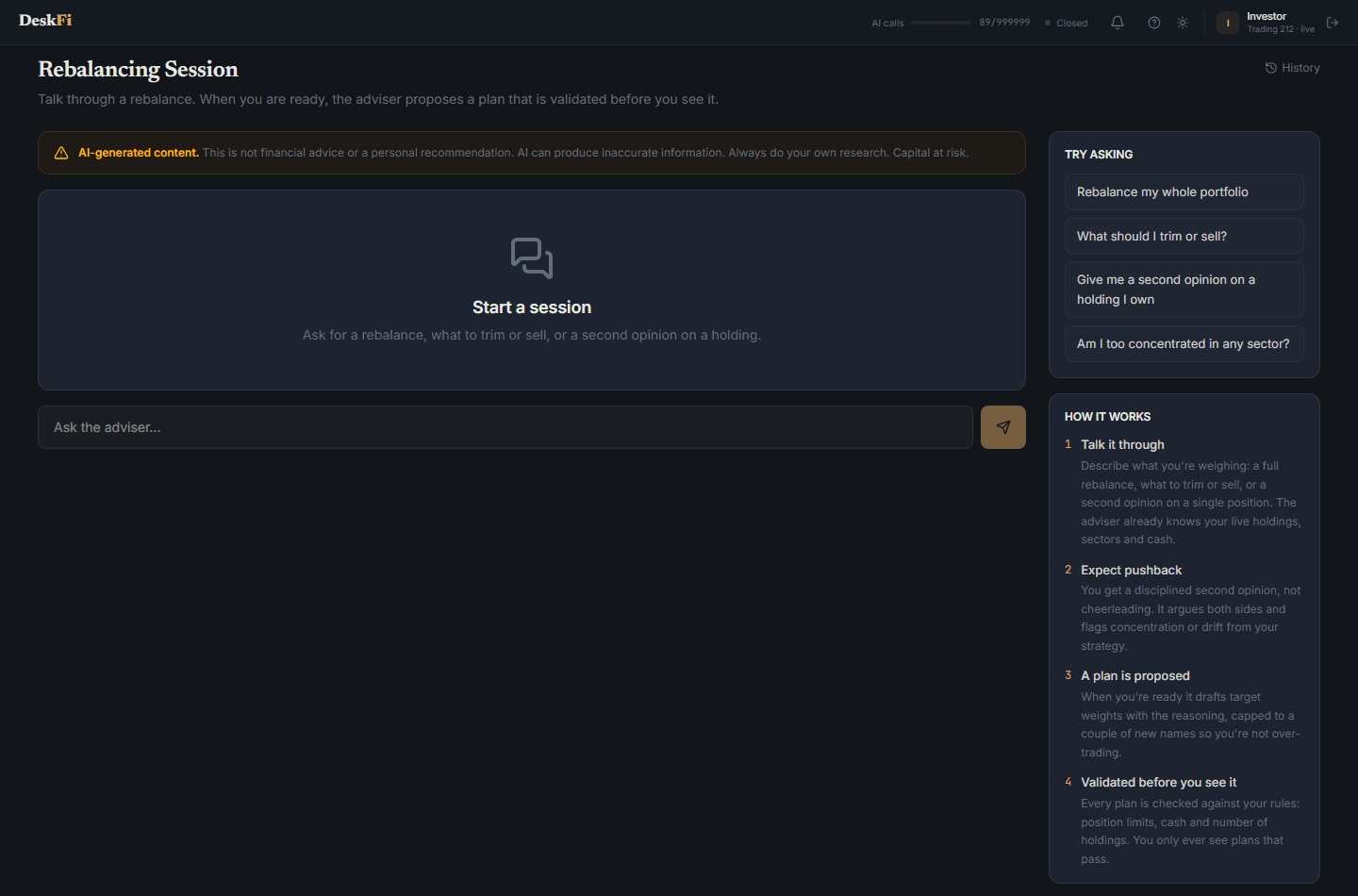
When it has enough to go on, the adviser can propose a validated rebalancing plan - capped to a sensible number of new names - which you review as a plan card before acting. It is the disciplined second opinion you would get from a real desk.
Trade Journal
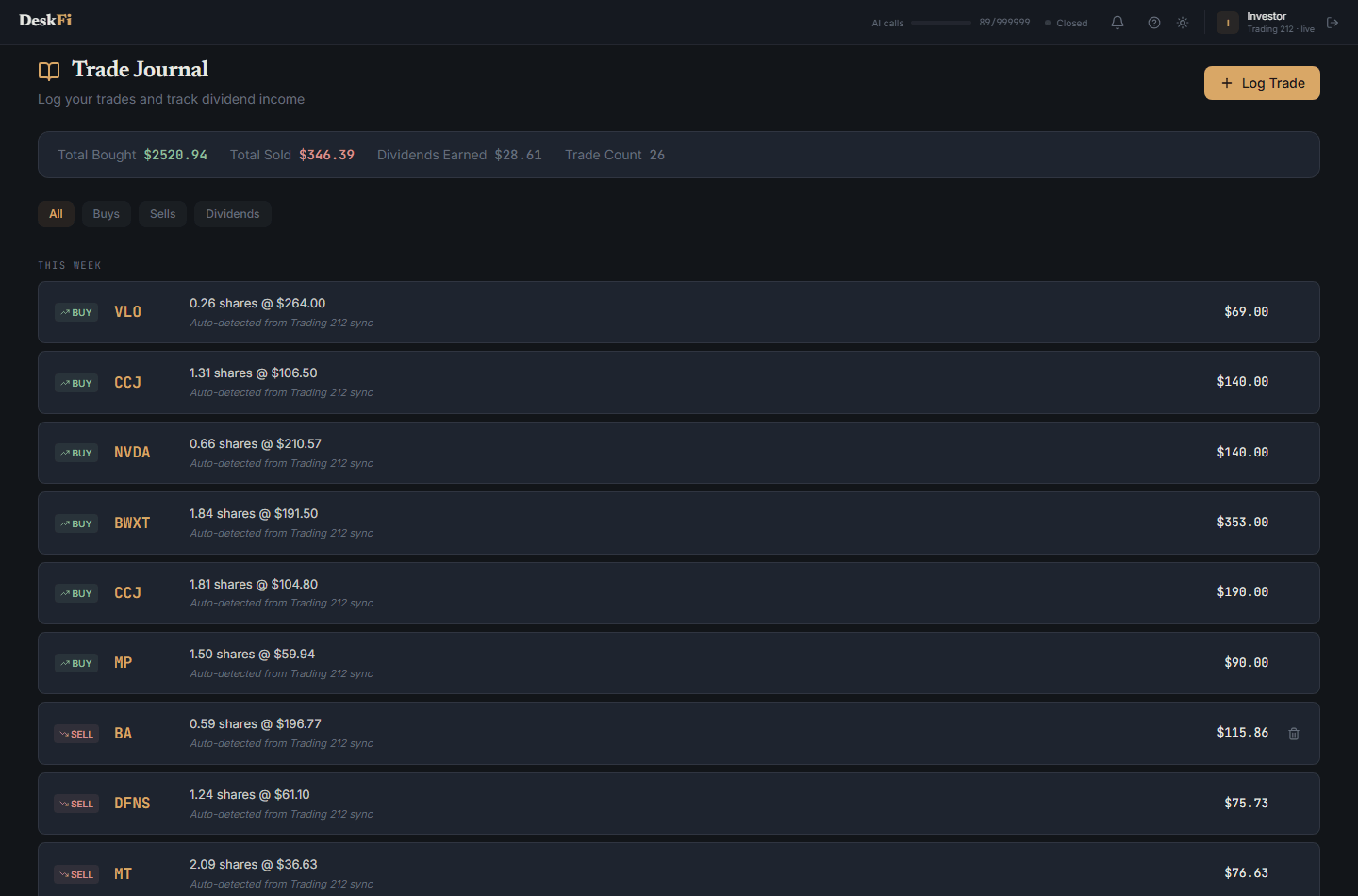
Log your trades and track your dividend income. The journal shows total bought, total sold, dividends earned, and trade count, grouped by day. Trades you sync from Trading 212 are detected automatically, and you can add your own entries too.
Suggestion History
Accountability for the AI's calls. Every suggestion the AI has made - from weekly briefs and sessions - is logged here with the price at the time and the price now, so you can see its hit rate over time.
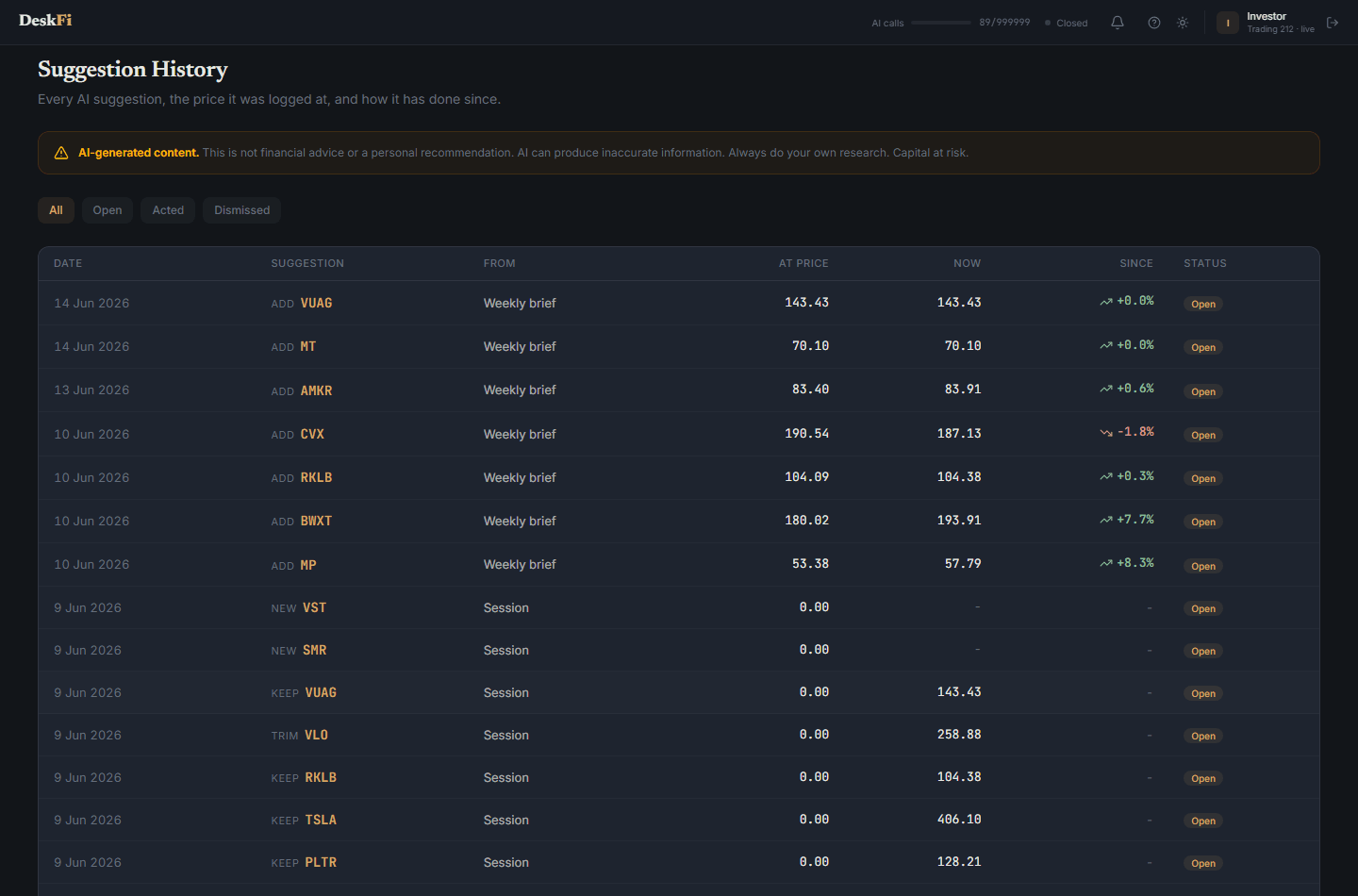
Dismissed suggestions are tracked too. Nothing quietly disappears; the desk keeps score, so you can judge the advice on its record rather than its confidence.
WhatsApp AI Advisor
The WhatsApp AI Advisor is on the way. Once it launches, you will connect your number in Settings and receive portfolio briefings directly to your phone, either daily or as a weekly summary, and be able to chat with your AI research assistant by messaging back.
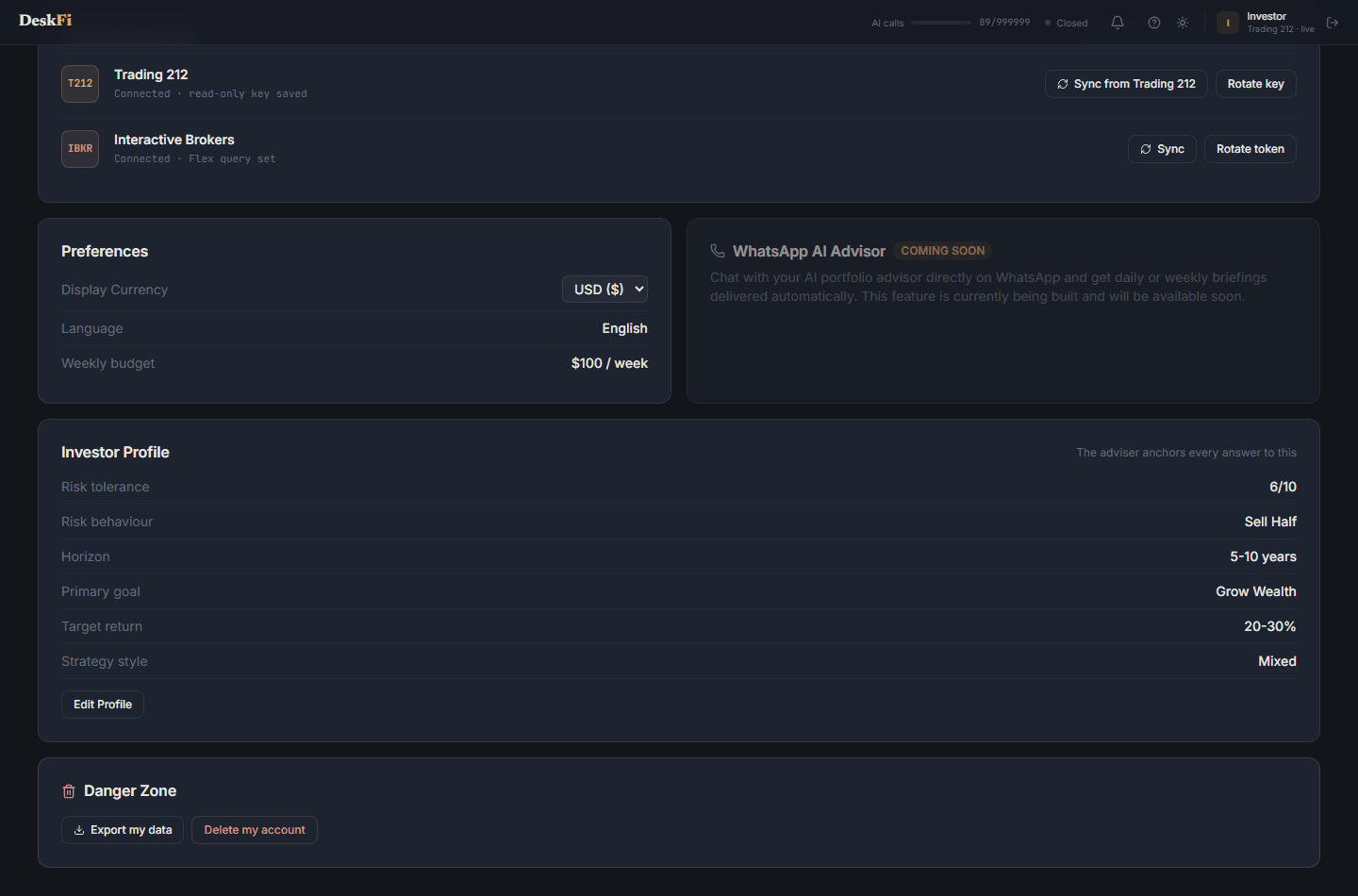
This feature is currently being built and will be available on the Premium (€69.99/month) plan.
Ready to get started?
Create your free account and connect your Trading 212 portfolio in under 5 minutes.
Create your account